
Image Editing Service Provider Are you looking for Cost-Effective, Fast & Reliable Services?
Image Editing Service Provider Are you looking for Cost-Effective, Fast & Reliable Services?
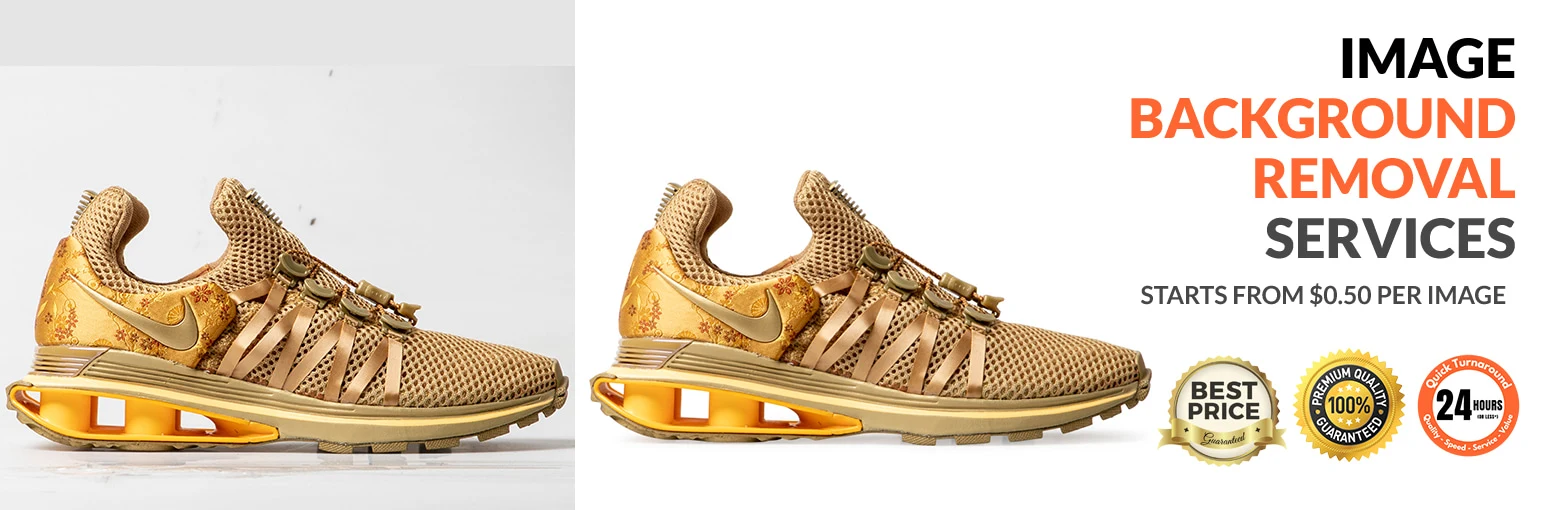
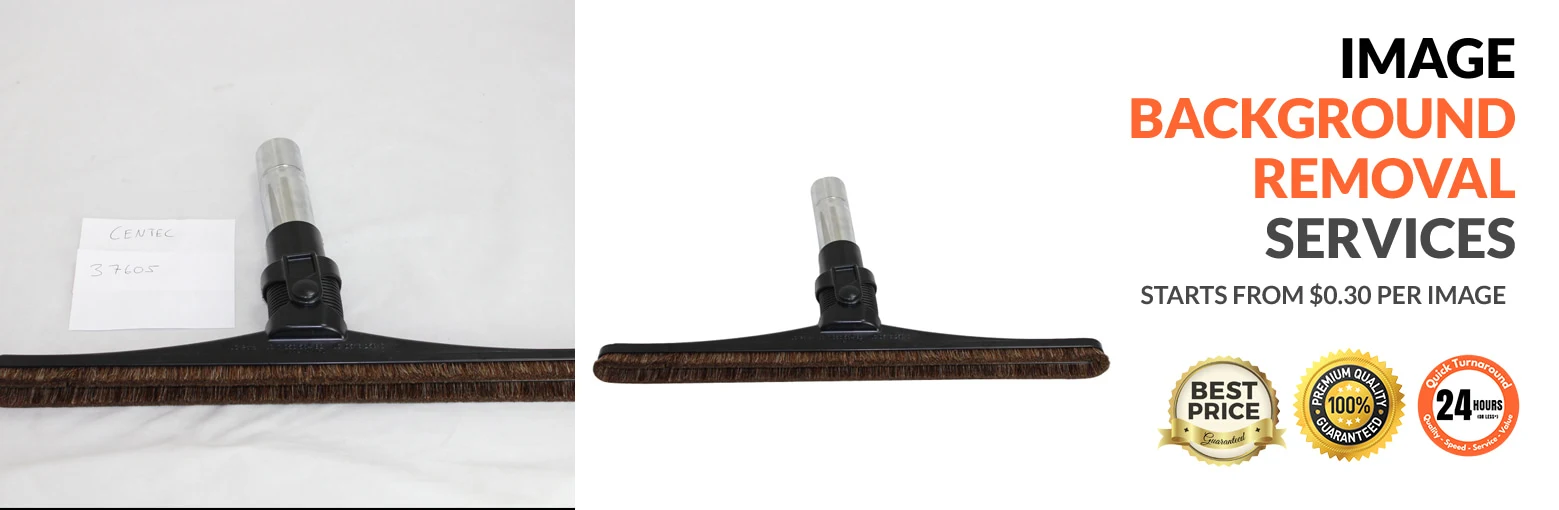


Need to remove the background from an image? Looking for a professional image background removal service? Our team can help. At Image2VectorGraphicsIndia.com, we provide professional background removal for a wide range of image types, with turnaround times based on project volume and complexity.
An image may contain distracting or unwanted background elements that need to be removed. Image background removal is a technique that is used to remove the background professionally from an image and can be done in two basic ways, using clipping paths and image masking. Clipping paths and image masking are two commonly used techniques for removing backgrounds.
We remove unwanted backgrounds by isolating the subject using techniques such as clipping paths and image masking. Where required, we can place the subject on a uniform background. We provide professional image background removal services with quick turnaround times and competitive pricing.
The main purpose of background removal is to isolate the desired subject and remove unwanted background elements.
There are many programs available for removing backgrounds from images, but Adobe Photoshop is widely used because it offers a wide range of tools and options. Below is a simple step-by-step method for removing an image background in Photoshop.
Step 1: Open the image
Step 2: For simple backgrounds, select the Magic Wand tool and adjust the tolerance as needed. Click the unwanted background area to select it, then press Delete to remove the selected area. Alternatively, use the Lasso Tool to make a custom selection, select the unwanted area, and press Delete to remove it.
Step 3: Another method is to use the Pen Tool to create a precise clipping path around the subject. The path follows the object's edges until the starting point is reached. The resulting path can then be converted into a selection and used to isolate the subject. Once the path is created, save it, convert it into a selection, and copy and paste the subject onto a new layer.
Step 4: To add a new background color or texture, create a new layer and apply the required background.
Step 5: Save the final image in the required format, such as JPEG, PNG, TIFF, or PSD.
Cut-out subjects can be placed on different backgrounds for use in collages, scrapbooks, greeting cards, marketing materials, and other creative projects. We provide quick turnaround time for background removal service at no extra charges.
Background removal can also eliminate distracting spots, shadows, textures, and unwanted elements that take attention away from the main subject. Images may also contain unwanted blotches, specks, shadows, textures, or incorrect background colors. These defects can distract viewers from the main subject, particularly when the subject is a product.
Background-removed images can be used for e-commerce product pages, catalogs, publishing, advertising, collages, greeting cards, and other marketing materials.
In the examples below, the background is removed from the images, giving the photographs a cleaner and more professional appearance.
Under these circumstances, opting for a fresh professional photoshoot for your marketing and advertising campaigns may not be cost-effective. A new photoshoot is not always practical. You may have an urgent deadline, limited photography resources, or existing product images that need a cleaner background. In these situations, professional background removal can help you prepare your existing images for marketing and e-commerce use. This is where our Image background removal services can help. We can improve your existing photographs by removing unwanted objects from the background and keeping the focus on the main subject or product.
Photo background removal can be performed using several techniques in image-editing applications. For detailed subjects, manual clipping paths and masking can provide greater control and precision than automated background-removal methods.
We perform background removal using the Pen Tool to create precise paths around the subject. At Image2VectorGraphicsIndia, our clipping path workflow begins with image assessment and subject selection. We focus on maintaining consistent quality while meeting the agreed turnaround time for each project.
We use modern techniques to remove backgrounds from digital images. Background removal is an important step when preparing images for e-commerce, catalogs, advertising, and other applications. First, we remove the background from the image and then apply additional adjustments, such as color correction, retouching, or shadow creation, according to the project requirements.
View our Case Study - Product Image Editing for Online Lifestyle Store

At Image2VectorGraphicsIndia.com, we follow an established workflow for professional image background removal. The process may include the following tasks:
Based on the complexity of the subject and the techniques required, background removal services can be categorized as follows:
Images that require fewer than six anchor points and a single path are considered simple-shaped objects. These are usually objects with round, rectangular, oval, or other simple shapes without holes or complex edges. Examples include mobile phones, plates, TVs, computer monitors, balls, eggs, and books.
Objects that require multiple paths because of their curves, edges, or moderate complexity can be classified as moderately complex. This category may also include objects with some holes or areas of transparency. Examples include T-shirts, rings, earrings, chairs, shoes, wristwatches, cameras, and motor parts.
Grouped objects contain multiple subjects or components that require several clipping paths for accurate isolation. This category can also include groups of objects with multiple holes or significant areas of transparency. Examples include groups of watches, bracelets, shoes, rings, and food items.
Objects having complicated shapes require extra time, effort, and expertise to be separated from the background. Such images require several closed paths. Examples include chains, furniture, jewelry, furry toys, nets, bicycles, groups of people, and groups of bracelets.
This category includes highly complex subjects with intricate shapes, extreme transparency, numerous anchor points, and multiple curved or enclosed areas that require detailed path work. Examples include decorative chains, fences, fabrics, trees, and gates.
Image masking is useful for subjects with soft, fine, or semi-transparent edges that are difficult to isolate with a standard clipping path. Such objects require image masking. Some examples are human hair, furry dolls, blankets, fabrics like chiffon and muslin, flesh, etc.
This service also goes by the name of mannequin removal service and it aims at removing distracting mannequins from apparel photos. Ghost mannequin editing is commonly used by apparel brands and e-commerce businesses to create clean product images without visible mannequins. Removing the mannequin keeps the focus on the garment while preserving its shape and structure.
Sometimes, the visual appeal of a photograph is marred by unwanted objects in the background. Removing distracting objects can create a cleaner composition and keep attention on the main subject. Our editors can remove distracting objects while preserving the surrounding details and natural appearance of the image.
We endeavor to build long-lasting relationship with our clients by being customers oriented and providing our clients with the best service and flexibility. Who are seeking a high volume image editing and clipping service, no matter how large the workload, you can trust Image2VectorGraphicsIndia.com for outsourcing.
© 2007-2026 Image2VectorGraphicsIndia.com, All rights are reserved. Privacy Policy | Terms & Condition | Sitemap
